Showing posts with label AWS GLUE. Show all posts

Incremental Load of Redshift data into Dynamodb table using AWS Glue

In today's post we will load incremental data from Redshift into Amazon Dynamodb using AWS Glue.


To load data incrementally into Dynamodb, we need a date/id column. Dynamodb supports limited query features. Therefore, we will create a Global Secondary Index on a date column (create_datetime) as a sort key and a static temporary column (gsi_sk) as partition key with value of "1". our table name for this demo is "test_inc_tble"

Export Athena View as CSV to AWS S3 using Glue

Today we will learn on how to export Athena view to AWS S3 using Glue

Move file from one S3 folder to another using AWS Glue

Today we will learn on how to move file from one S3 location to another using AWS Glue 

AWS Glue - Unpivot columns into rows using python shell job

Today we will learn on how to unpivot columns into rows using AWS Glue python shell job

AWS Glue crawler cannot extract CSV headers properly

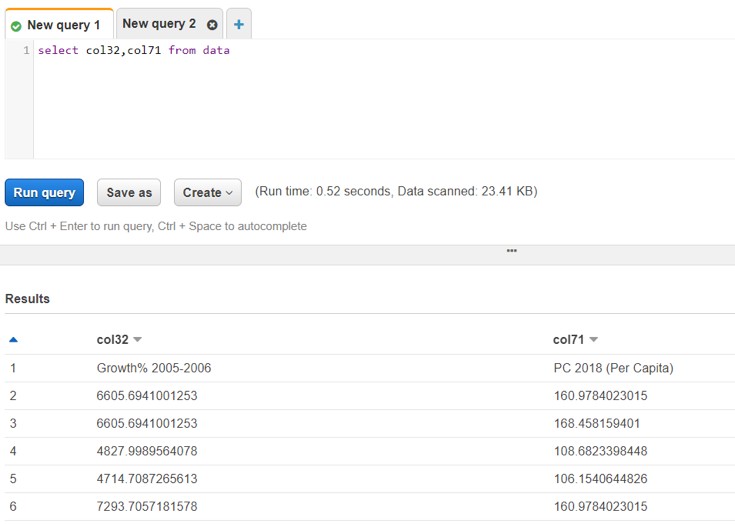
Scenario: You have an UTF-8 encoded CSV stored at S3. You ran a Glue crawler to create a metadata table and further read the table in Athena. When you query the table in Athena, you don't get the headers instead every column is named as (col1, col2, col3,...so on)

Convert CSV to Parquet using AWS Glue

Today we will learn on how to convert CSV to Parquet using AWS Glue ETL Job

AWS Glue Fatal exception com.amazonaws.services.glue.readers unable to parse file data.csv

Error in AWS Glue: Fatal exception com.amazonaws.services.glue.readers unable to parse file data.csv 

Resolution: This error comes when your csv is either not "UTF-8" encoded or in your "utf-8" encoded csv there are still some special unicode characters left (generally this happens when you convert csv from excel workbook by right clicking and save as csv). To see the special unicode characters, open your file in the Notepad++ and scan the file.
There are two ways to convert Xlsx to CSV UTF-8:
  1. Convert it from Excel
    • Open xlsx/csv in excel and go to file>save as
    • select Tools > web options
      • Go to Encoding > select "UTF-8"
    • Now upload the file in S3
    • Preview the file in S3
      • select the file > preview 
    • If every thing is fine, you will see the CSV data in the S3 preview
    • If your file has some special unicode characters, S3 will give below error
  1. Convert to UTF-8 programmatically (Best approach)
    1. Write a python script by importing xlrd library that will read your xlsx 
    1. Specify the encoding and save the converted file to csv utf-8
    2. Now upload the file in S3 and you will be able to preview the CSV data

Create an AWS Glue crawler to load CSV from S3 into Glue and query via Athena

Let's see how we can load CSV data from S3 into Glue data catalog using Glue crawler and run SQL query on the data in Athena
Steps:
  • Go to Glue and create a Glue crawler
  • Select Crawler store type as Data stores
  • Add a data store
    • Choose your S3 bucket folder
    • Note: Please don't select the CSV file. Instead, chose the entire directory
  • Add another source = No
  • Choose IAM role
    • Select an esisting IAM role if you have. otherwise, create a new IAM role
  • Create a scheduler = Run on demand
  • Configure crawler's output
    • Select the Glue Catalog's database where you want the metadata table to be created
      • This table will only hold the schema not the data
  • Now go to the Glue Data Catalog > Databases > Tables
    • Here, you will see your new table created that is mapped to the database you specified
  • You can also see the database in the Glue Data Catalog
  • Now, go to Athena
  • Check if you have already configured an output for Athena Queries
    • Athena stores each query's metadata in S3 location. so, if path not specified, select a temporary S3 path.
  • Select the database in Athena
    • You will see your new table  created
  • Run the sql query to fetch the records from the table created above and see the records

Ingest data from external REST API into S3 using AWS Glue

Today we will learn on how to ingest weather api data into S3 using AWS Glue 
Steps:
  • Create a S3 bucket with the below folder structure:
    • S3BucketName
      • Libraries
        • Response.whl
  • Sign up in Openweathermap website and get the api key to fetch the weather data
  • Create a new Glue ETL job
    • Type: Python Shell
    • Python version: <select latest python version>
    • Python Library Path: <select the Response.whl library path>
    • This Job runs: <A new script to be authored by you>
  • Click Next
  • Click "Save job and edit Script"
  • Import response library
  • import boto3 library for saving in S3 bucket
  • Write the code to ingest data 
  • Run the glue job
                                    
  • View the glue job results 
    • Job run status = Succeeded
  • Verify if the data is saved in S3 bucket
  • Download the saved json file from S3 and check if it is correct
  • You are done. Cheers!

AWS GLUE VS AWS DATA PIPELINE - Which one to choose ?

Today we will try to understand the difference between AWS Glue and AWS Data Pipeline
Are you considering on designing your ETL pipeline in AWS cloud ? the below table will help you understand which AWS ETL service to choose according to your needs:

AWS GLUE

AWS Data Pipeline

Definition

Serverless
•A web service that helps you create complex data pipelines. Developers have to rely on EC2 instances to execute tasks in a data pipeline as it spins up an EC2 instance to run the job and terminate the EC2 instance after the job is completed

Resiliency

Fault tolerant, Scalable, Highly available and Distributed
Fault tolerant, Highly available, Scalable and Distributed

ETL Design

GUI Based as well as developer friendly. It allows developers to write ETL transformation code using pyspark
GUI Based with pre defined ETL templates that allows making complex pipelines quick and easy using drag and drop functionality.

Pricing

Cost effective. You have to pay only for the execution time (around $0.44 per hour per DPU)
Low frequency model can cost around $0.66 per month, while high frequency model can cost around $1 per month per job execution (each activity)

Data Sources

Supports a lot more data sources by allowing developers the flexibility to import libraries in python to define the data sources that are not pre-defined
Have to work with pre-defined data sources that are available within data pipeline

Scheduling

Support event driven ETL pipeline trigger
Supports three type of triggers (Scheduled, Conditional, and On-demand)

Streaming

Serverless Streaming for making continuous ingestion pipelines for preparing streaming data. Can consume data from streaming sources like Kinesis and Kafka, clean and transform on the fly and make it available for analysis in seconds.

Any Comments / Thoughts much appreciated!